

Browsing the catalog
The organization-wide surface is Integrations in the organization settings rail, titled Global Integrations. An app connected there is connected once for the whole organization and available to Receipt chat. Like the rest of organization settings, it is owner and admin only. The same page appears embedded as the Open integrations tab of an MCP Gateway workspace, where it is not restricted to owners and admins — any member of that workspace can use it — and connects into that workspace instead. Which scope you want is covered in connection scopes; the connect flow itself, and the page’s own description quoted in full, is in connect an app.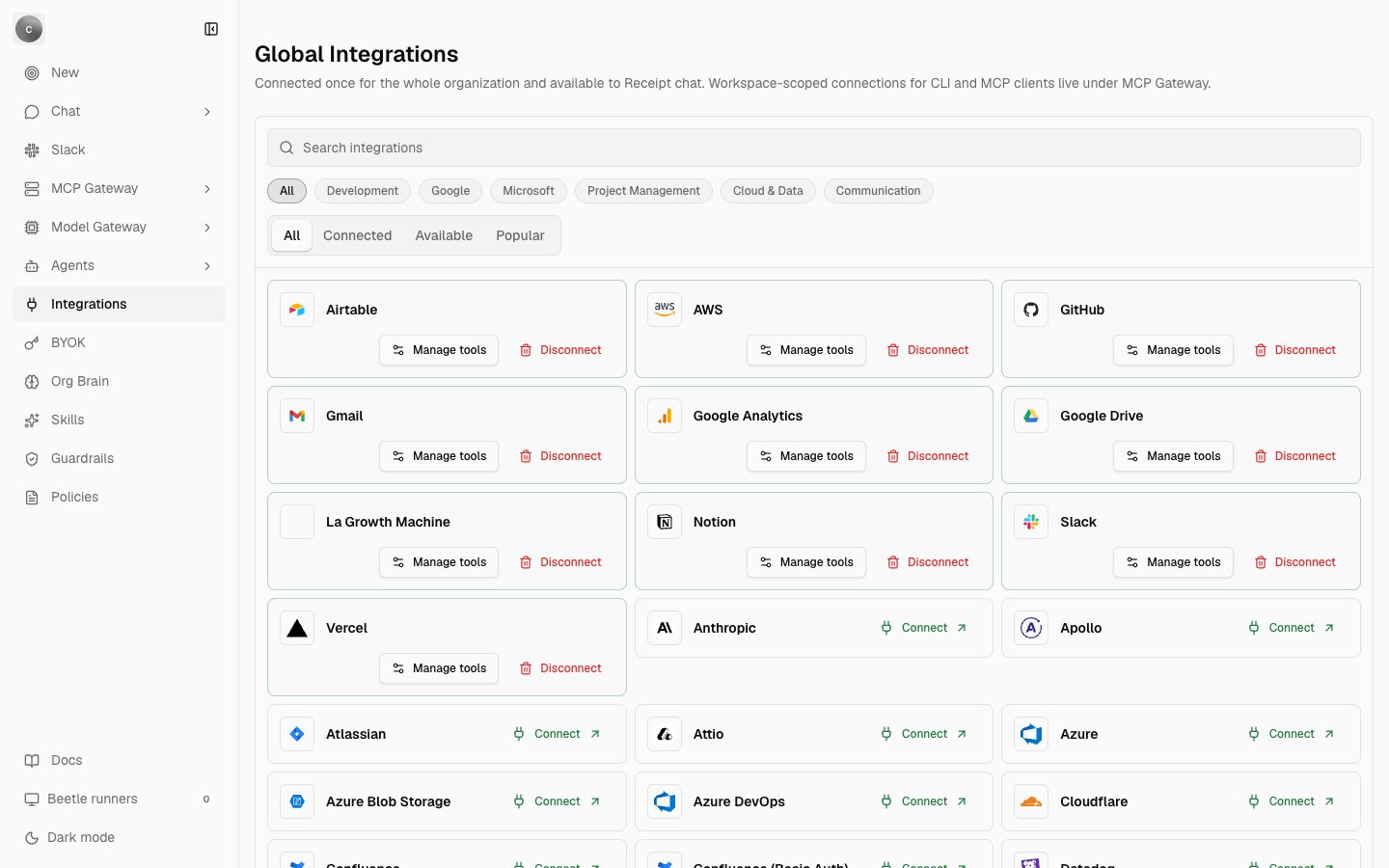
Global Integrations at the organization scope. Connected apps sit first and offer Manage tools and Disconnect; connectable ones offer Connect. Notice the two filter rows — category chips above, All / Connected / Available / Popular below.
The six category chips replace the catalog’s own fine-grained categories — 23 of them in Receipt’s curated list — which would be too many chips to scan.
When nothing matches, the grid shows No integrations found — “Try a different search or turn off the connected-only filter.” That sentence outlived its control: the connected-only switch and the authentication-method select are both in the page’s hidden markup and are not rendered. Use the Connected tab instead.
A card carries Connect when it is connectable, Manage tools and Disconnect once a connection exists, and Coming soon when it is neither. One healthy connection gets no extra label — the card already says it is connected — while several show a
{n} connections count. When none of a card’s connections is valid, it says so outright: 1 saved connection needs attention, or {n} saved connections need attention.
Cloud accounts connected for the Agent Registry use a dedicated
agent-registry connection and are deliberately hidden from this page, so connecting AWS, Azure or Google Cloud here is a separate act with a separate credential — see Agent Registry.Asking for a connector that does not exist
When your search matches nothing at all — not a connector, and not one of the display-only directory entries — a panel appears above the grid, named after what you typed:
Build {name} with Beetle Tasks
New integrations are code changes: Beetle opens a task with a connected objective for the catalog entry, Nango mapping, tests, and PR evidence. Connect GitHub first so the worker can create a branch and PR.
Beetle is the assistant’s name in the interface. The button reads Create task when a GitHub connection exists, Connect GitHub first when one can be made, and a disabled GitHub required otherwise. Pressing it opens the Tasks page with a pre-filled development task — it files work, it does not enable a connector.
There is no approval or vetting state on a catalog entry or on a connection anywhere in the product. An entry is connectable because it ships in the catalog, and connecting it takes effect immediately with no review step.
What the catalog contains
Across the 63 connectors, Receipt publishes 91 tools of its own: 88 read and 3 write. All three writes belong to Apollo —create-contact, update-contact and delete-contact.
- Authorization: 45 connectors use OAuth, 17 collect a provider credential directly, and one (
github-app-oauth) uses a custom flow. - Tool surface: 18
typed-proxy, 39compatibility-read, 2resource-aware-get, 2command-auth, 2provider-mcp.
Reading the table
Aliases resolve exactly and case-insensitively. Display labels are not aliases, soGoogle Cloud is not a name you can type — gcp is. jira, confluence and tiktok are product-level shorthands rather than connectors of their own: each resolves to the connector marked as that product’s default authorization mode.
Authorization mode — Provider-only means the provider’s Connect interface collects the credential directly (an API key, a personal access token, an access key pair, a service principal), and Receipt creates the integration record for you if it is missing. OAuth 2.0, OAuth and Custom require an operator to have configured that integration in your deployment first.
Tool surface decides what a connection publishes: typed-proxy and resource-aware-get publish checked-in read tools, compatibility-read publishes the one bounded read tool read-provider-resource, provider-mcp publishes tools discovered from the provider’s own MCP server, and command-auth publishes no Receipt tools at all — the connection becomes real CLI configuration inside a worker. Receipt Connect explains all five in full, with the per-surface connector counts that make the 63 add up and the reason gcp reports as typed-proxy. The Tool surface column below gives each connector’s own answer.
Every connector
Your deployment’s list can grow in one direction. An integration configured in your deployment’s integration provider but absent from Receipt’s catalog is appended as an extra row with the
compatibility-read surface, so it gets the one bounded read tool and nothing more. Every other card on the page is display-only and stays Coming soon.
Next step: see what the skills library holds.