

The dialog
Open a connected card and choose Manage tools. The dialog is titled Manage tools and permissions, and its description names the scope you are editing:
<Integration> · <connection label>. Every published operation is controlled by this <organization|workspace> allowlist.
It has two sections, each with a count of the operations it holds:
- Read operations — “Enable only the data this workspace is allowed to retrieve.” When there are none: “No read operations are published for this connection.”
- Write and delete operations — “Fail closed by default. Enable only the operations this connection should perform.” When there are none: “No write or delete operations are published. This is not a grant of unrestricted provider access.”
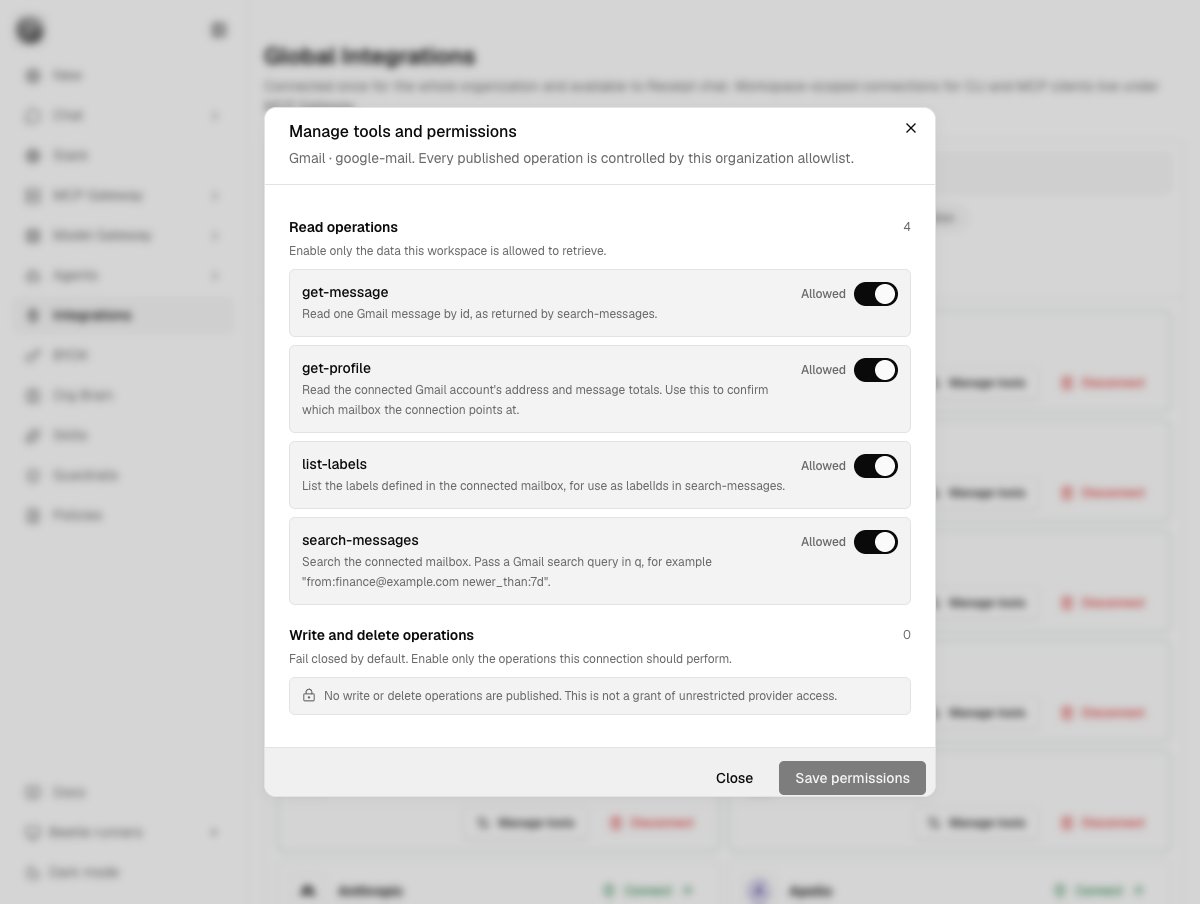
A Gmail connection in Global Integrations. Four read operations — get-message, get-profile, list-labels and search-messages — are each switched to Allowed, and the Write and delete section shows a count of 0 with the fail-closed notice.
How an operation is classified
Every discovered operation is classifiedread or write before anything runs, in this order:
1
Any mutating method wins
If any declared endpoint method is
POST, PUT, PATCH or DELETE, the operation is a write.2
A declared method, none of them mutating
If at least one endpoint method is declared and none of them mutate, the operation is a read.
3
No declared method at all — fail closed
Only a conventional read name counts as a read. The accepted prefixes are
get, list, search, find, read, fetch, lookup, whoami, who-am-i, check and describe. Everything else is treated as a write.readOnlyHint annotation is authoritative — whether it says true or false. The name heuristic applies only when that annotation is absent.
Two gates on every write
A write executes only when both conditions hold. Either one failing stops the call. The token gate. The caller’s token must carryconnect:write. Without it the call is refused with HTTP 400 and the message integration action '<tool>' requires connect:write.
The allowlist gate. The operation must be enabled in that connection’s stored allowlist. A disabled operation is not callable no matter what the token carries.
A tool that does not exist and a tool that exists but is disabled return the identical response: HTTP 404
integration action not found or disabled. A caller cannot use error messages to probe for hidden tools.integration action '<name>' is not available.
The token gate rarely stops anything on its own: a CLI session token carries connect:write, and a Factory objective’s execution contract adds it whenever the task needs a Receipt Connect capability. The per-connection allowlist is the gate that decides.
Version 1 and version 2 policies
The stored policy carries a schema version, and the two versions mean genuinely different things.
Any save from the dialog writes a version-2 policy. That is the transition to be careful about: the first save turns an implicit “reads are on” into an explicit list, so anything you did not tick is now off.
Web chat detects exactly that state and answers rather than failing silently:
followed by a line telling you to open Integrations, choose that provider > Manage tools, enable the required tool, then retry this chat request.<Provider>is connected in Global Integrations, but you don’t have access to any enabled<Provider>tools right now.
GitHub repository selection
A GitHub connection whose status isvalid gets a second policy alongside the tool allowlist, shown as a GitHub repositories section: “Choose which repositories this connection can use.” The selector offers All repositories (“Keep the current connection behavior.”) and Selected repositories (“Limit Receipt to the repositories checked below.”), with a Search repositories… box. The trigger reads All repos, <n> repos, or Repositories.
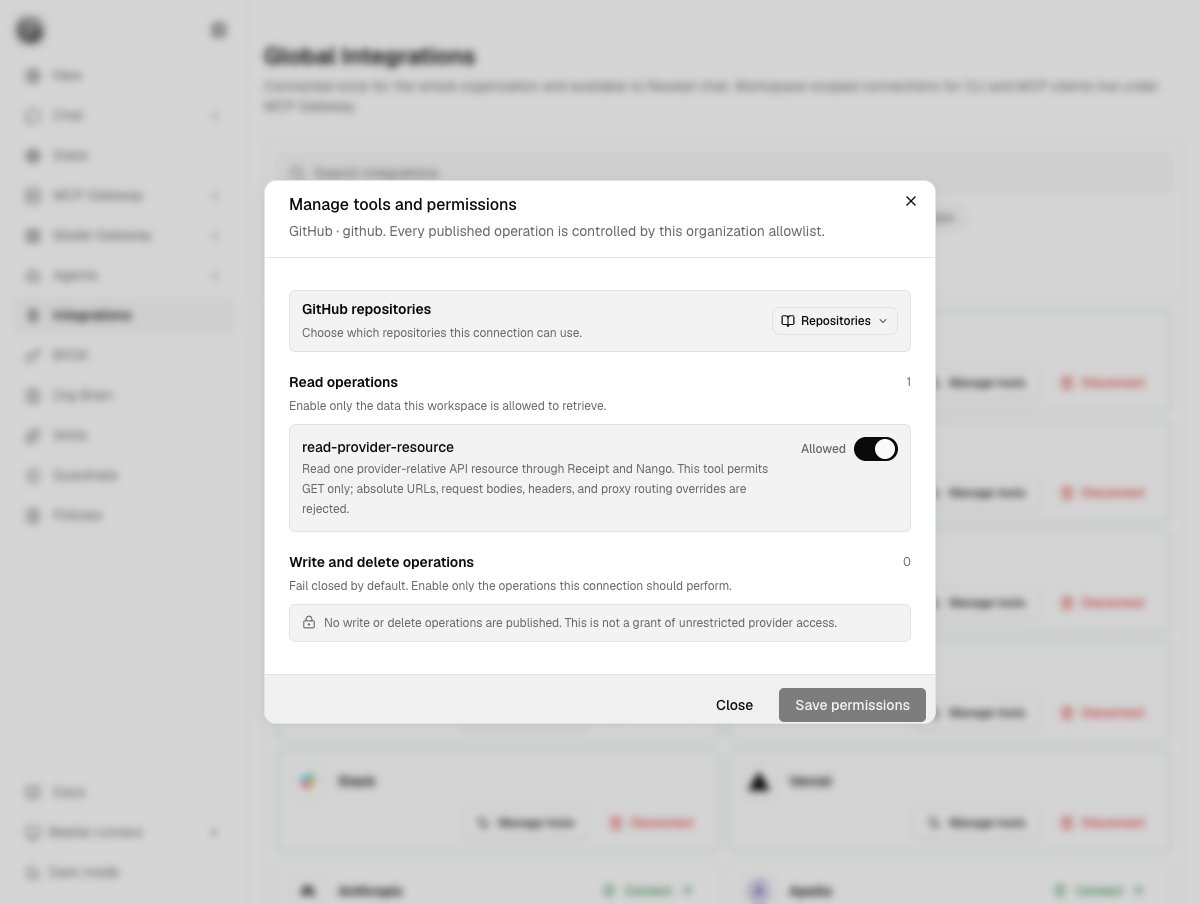
The same dialog for a GitHub connection. The GitHub repositories section sits above the operation lists, and the single published read operation is read-provider-resource, the GET-only compatibility read tool this connection publishes.
selected mode is real, not cosmetic:
Repository discovery pages at 100 repositories per page for up to 10 pages. If the tenth page comes back full, the list is marked truncated and the selector footer reads
showing the first 1,000 repositories.
Atlassian site resolution
For Atlassian connections, Receipt resolves the site itself and rewrites the requested path, unless you already asked for/ex/<product>/…. If the connection can reach more than one Atlassian site, the call fails explicitly rather than guessing: HTTP 409 <Label> connection exposes multiple Atlassian sites; call the explicit /ex/<product>/{cloudId}/... path. If it can reach none, the call fails with HTTP 502 <Label> connection did not expose an accessible Atlassian site. <Label> is the connector’s catalog name and <product> its Atlassian product: the two connectors that resolve this way are Jira OAuth (jira) and Confluence OAuth (confluence).
Who can save, and the size limits
Saving either policy requires workspace mutation authority: you are an owner or admin of that workspace, or an owner or admin of the organization. Everyone else gets the read-only dialog described above, and the server refuses the write independently with HTTP 403workspace_membership_required.
Anything larger is rejected with
enabledActions must be an array of action names or mode and repositoryIds must describe a valid GitHub repository selection.
What each call records
A tool call made through the REST routePOST /connect/call writes a tool.called receipt and, on success, a tool.observed receipt, onto the per-workspace stream receipt-connect/gateway/<orgId>/<workspaceId>. Output is truncated at 2,000 characters with a truncation flag. A failed call records only tool.called, with its error — which is how outcomes are scored later. A call with no workspace in scope is not recorded at all.
Calls that arrive over the MCP protocol at
POST /connect/mcp — the route MCP clients and the receipt mcp bridge use — are not yet recorded as receipts. The allowlist and scope gates above apply to them identically; only the receipt is missing.