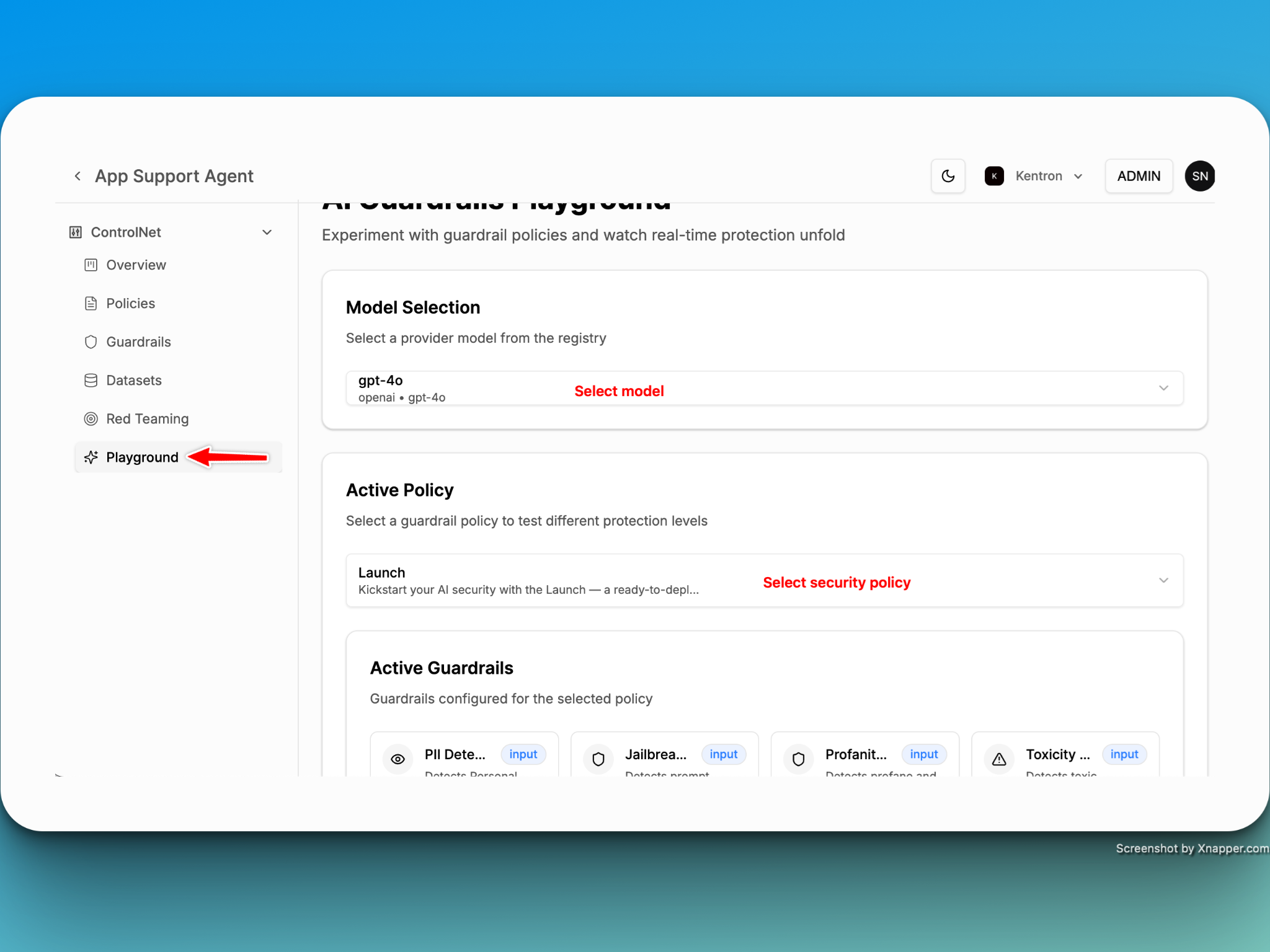
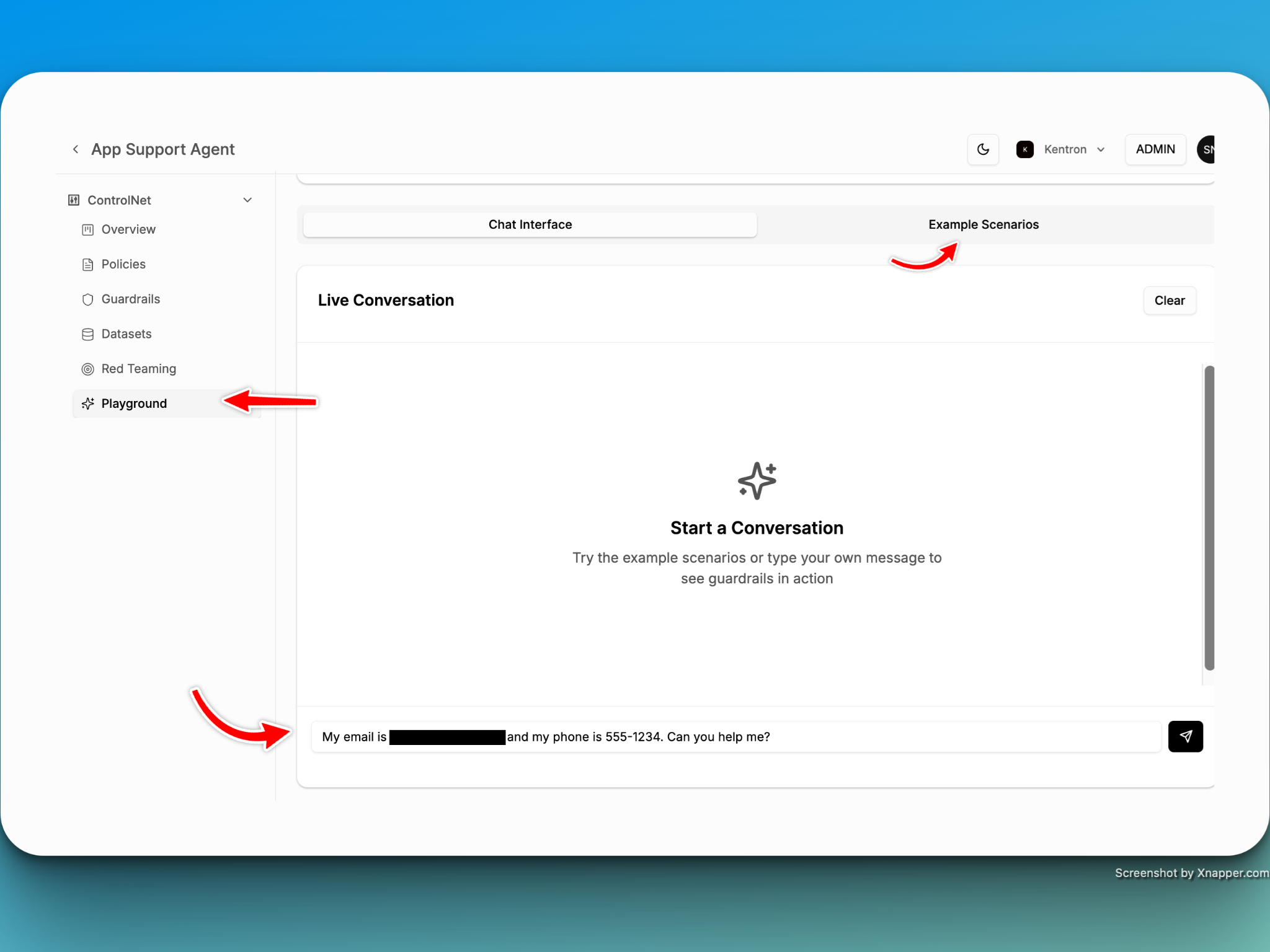
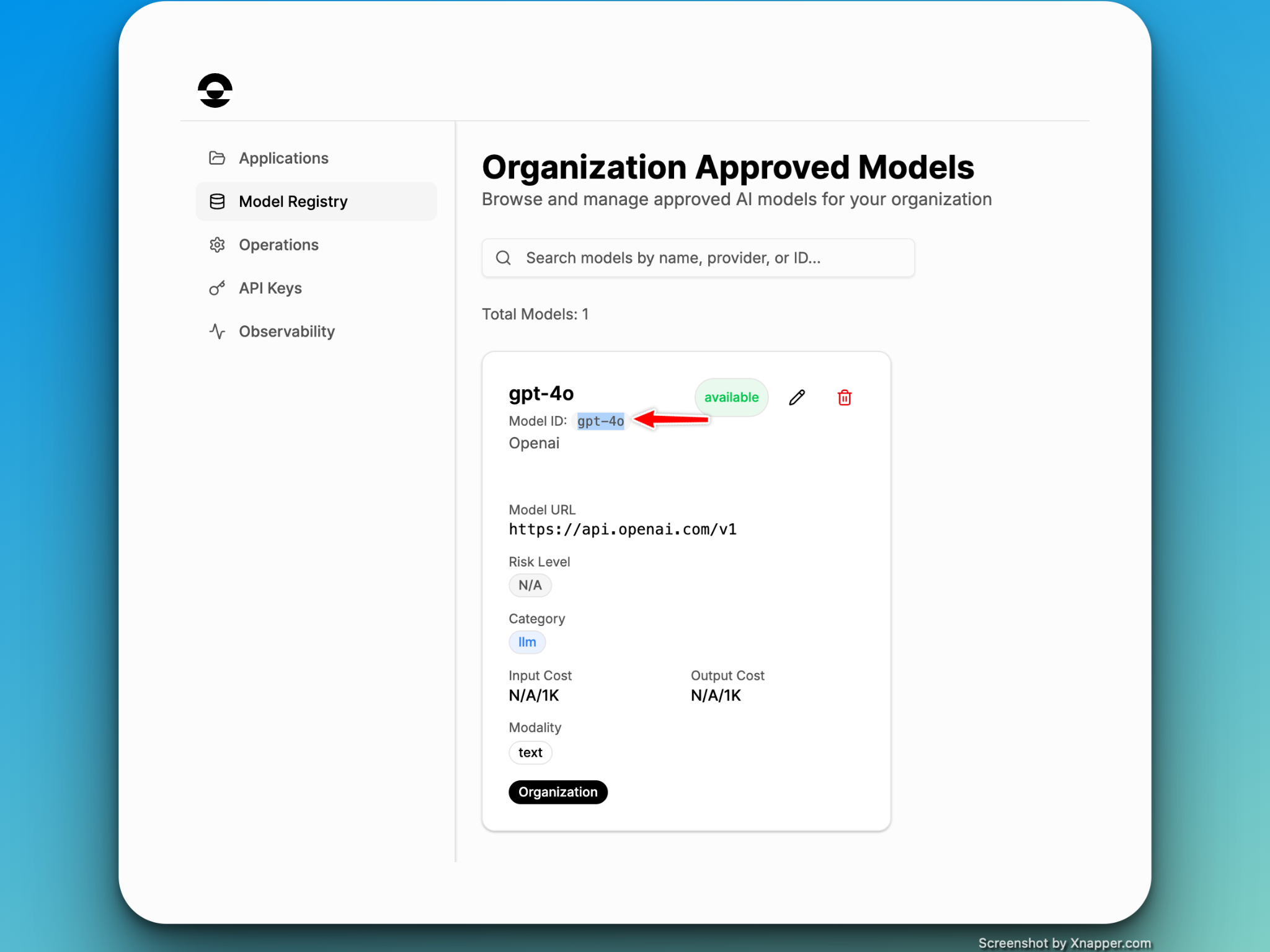
Step 1: Register Model (Mandatory)
NOTE: Currently, Kentron only supports OpenAI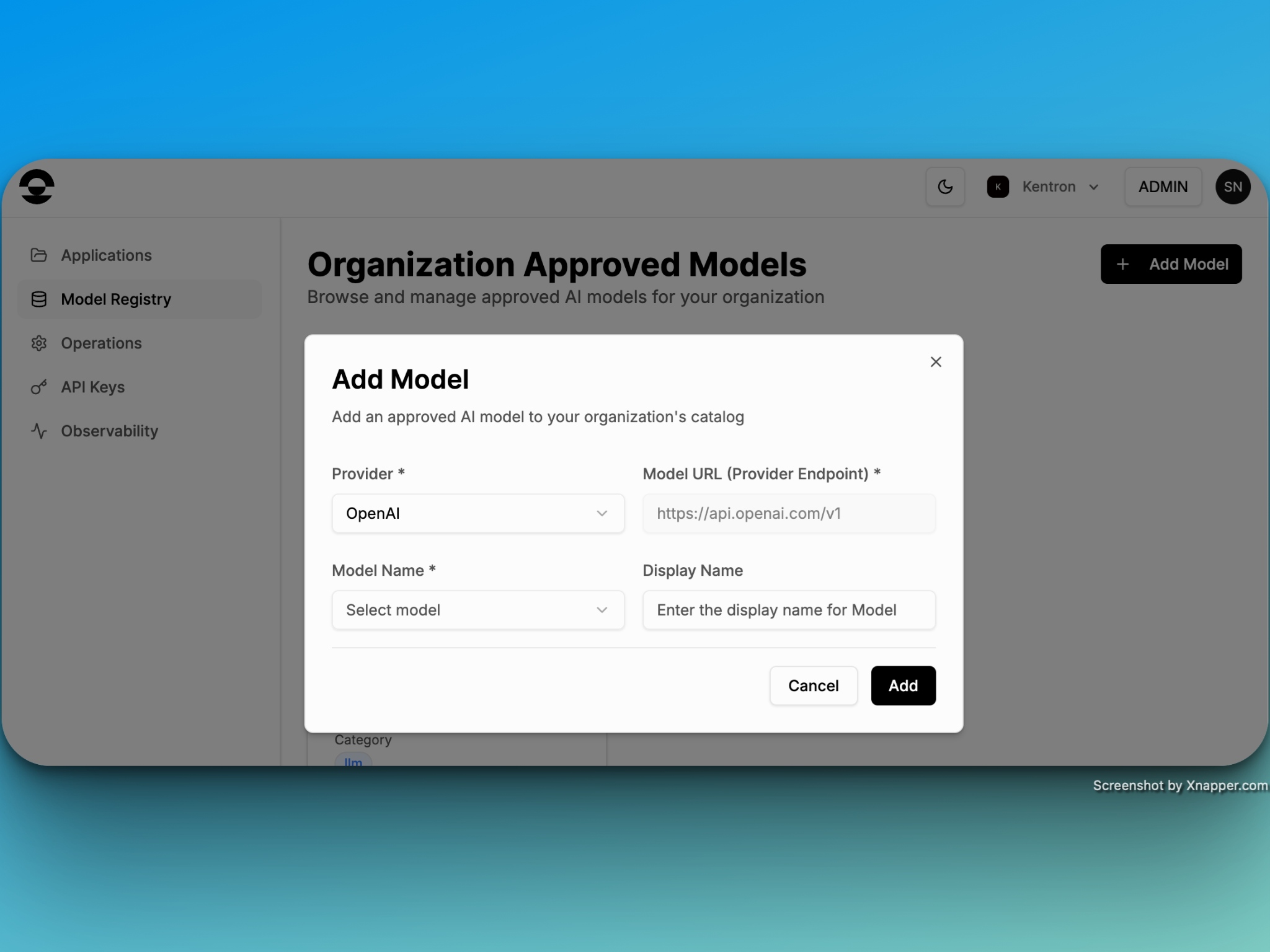
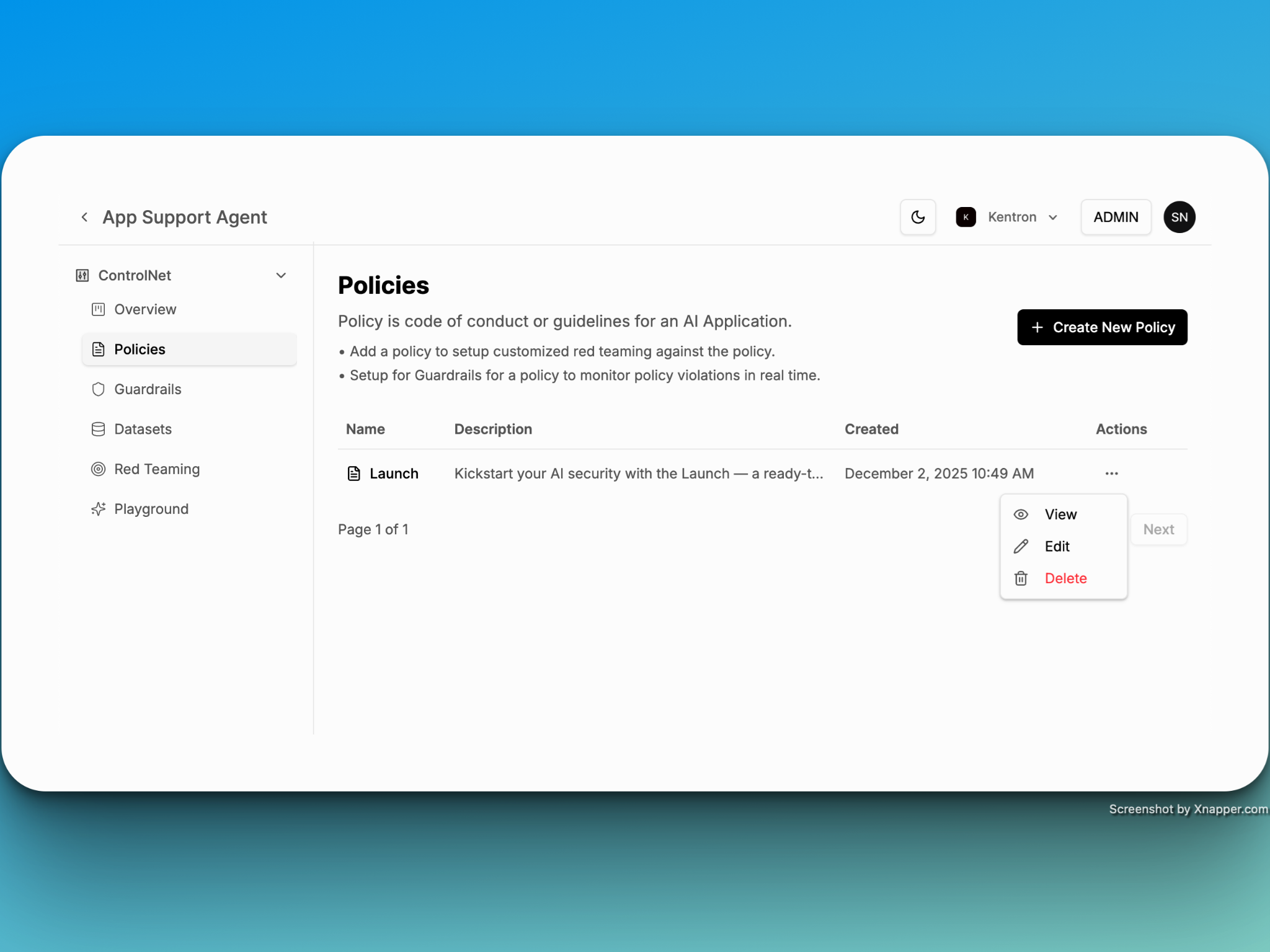
Step 2: Create an Application
A central container for managing and monitoring each application’s security policies and guardrails. Every application starts with a default policy called “Launch,” which you can modify or remove as needed. The “Launch” policy consists of the following advance guardrails- Toxicity Detection
- PII Detection
- Jailbreak Detection
- Profenitiy Detection
Step 3: There are three ways you can enforce the security policy in your agentic or AI/ML application
- Python
- JavaScript
- CURL
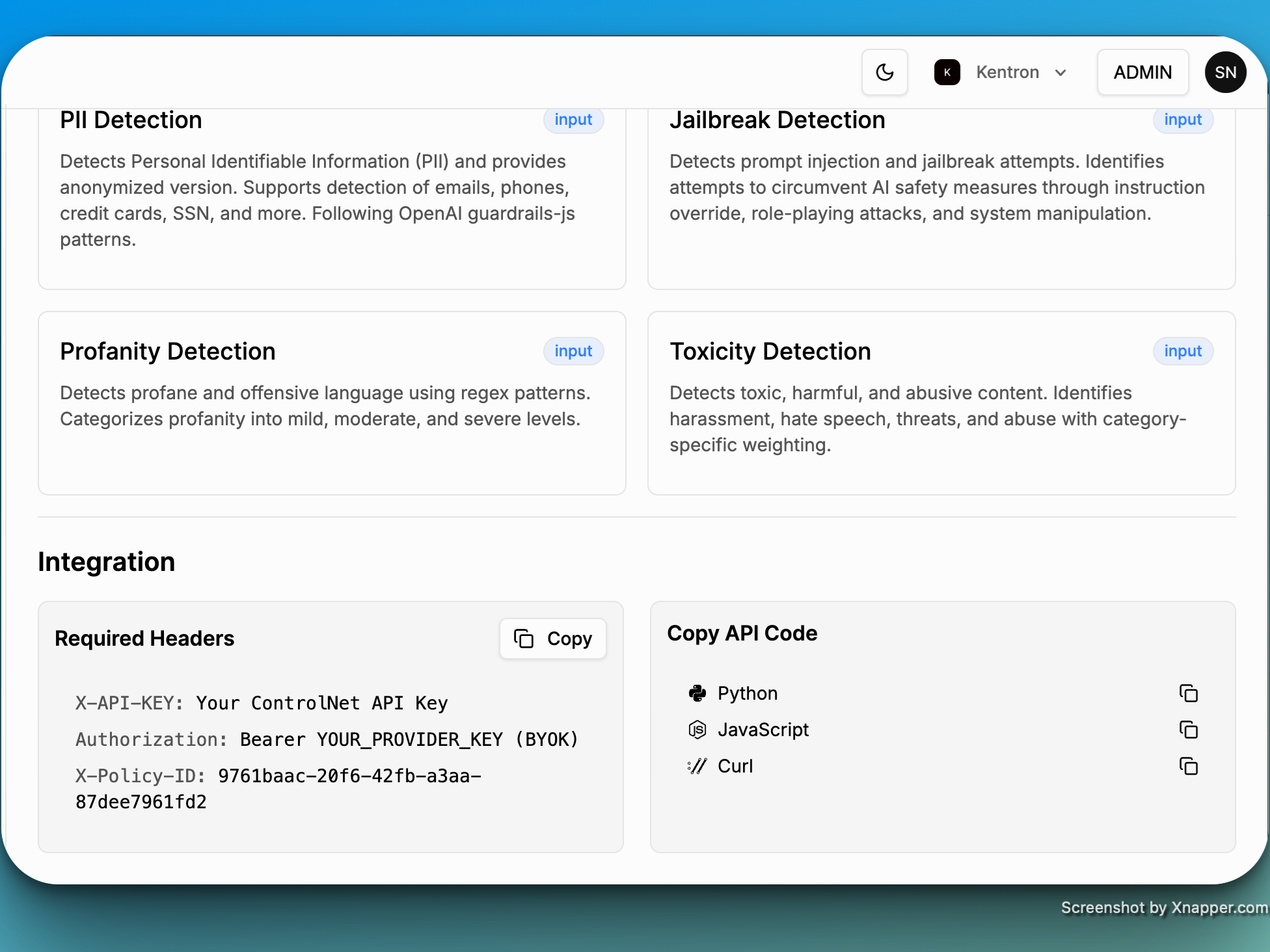
Step 4: The following are the required parameters to integrate Kentron with your applications:
- Polic ID: Gets auto-created
- Model ID: gpt-4o (case sensitive)
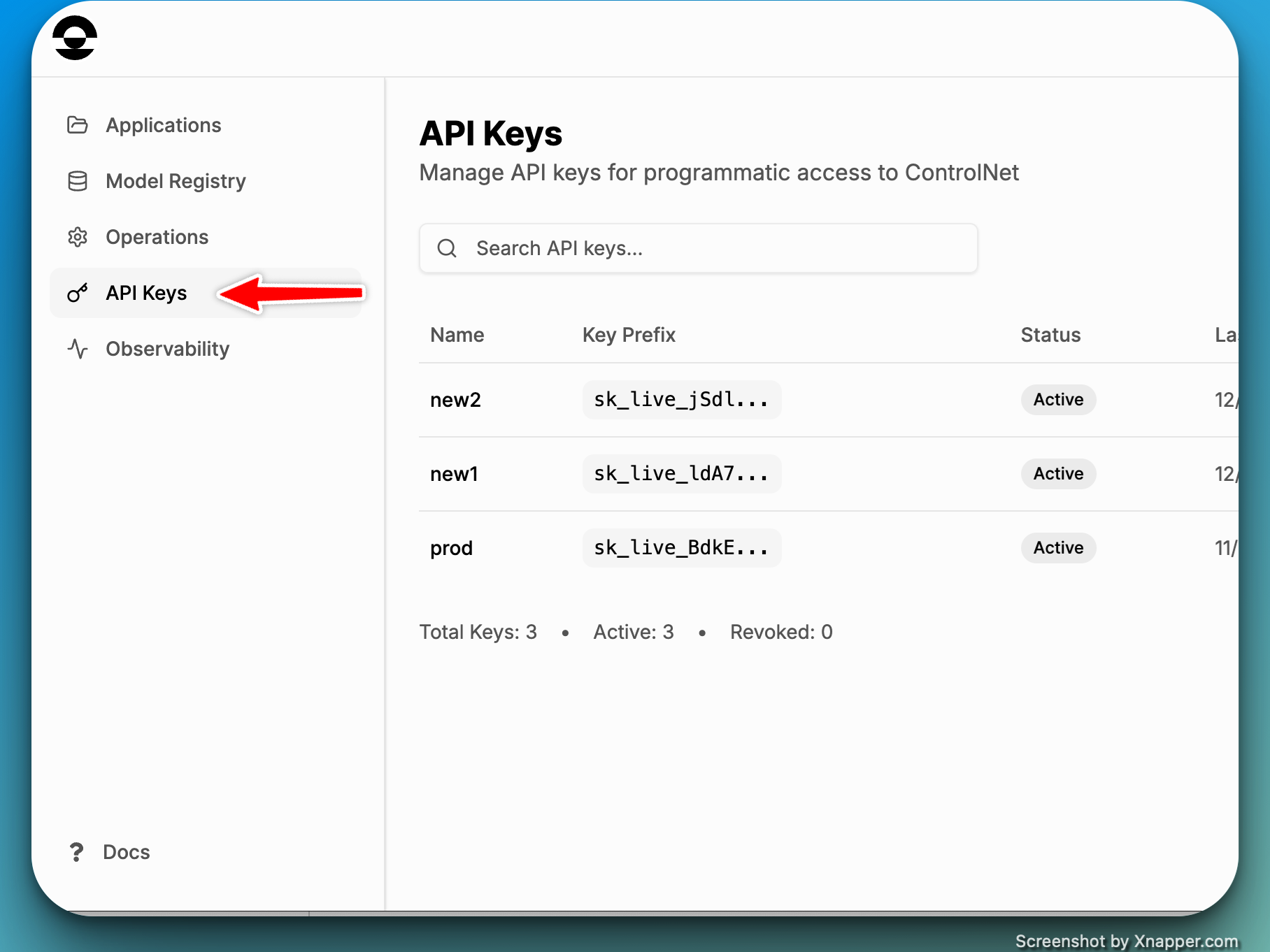
- Kentron API Key
Step 5: Playground
Test your existing or newly created policies in the Playground with ease, powered by built-in prompts designed to accelerate evaluation and refinement.