> ## Documentation Index
> Fetch the complete documentation index at: https://docs.kentron.ai/llms.txt
> Use this file to discover all available pages before exploring further.
# User Guide
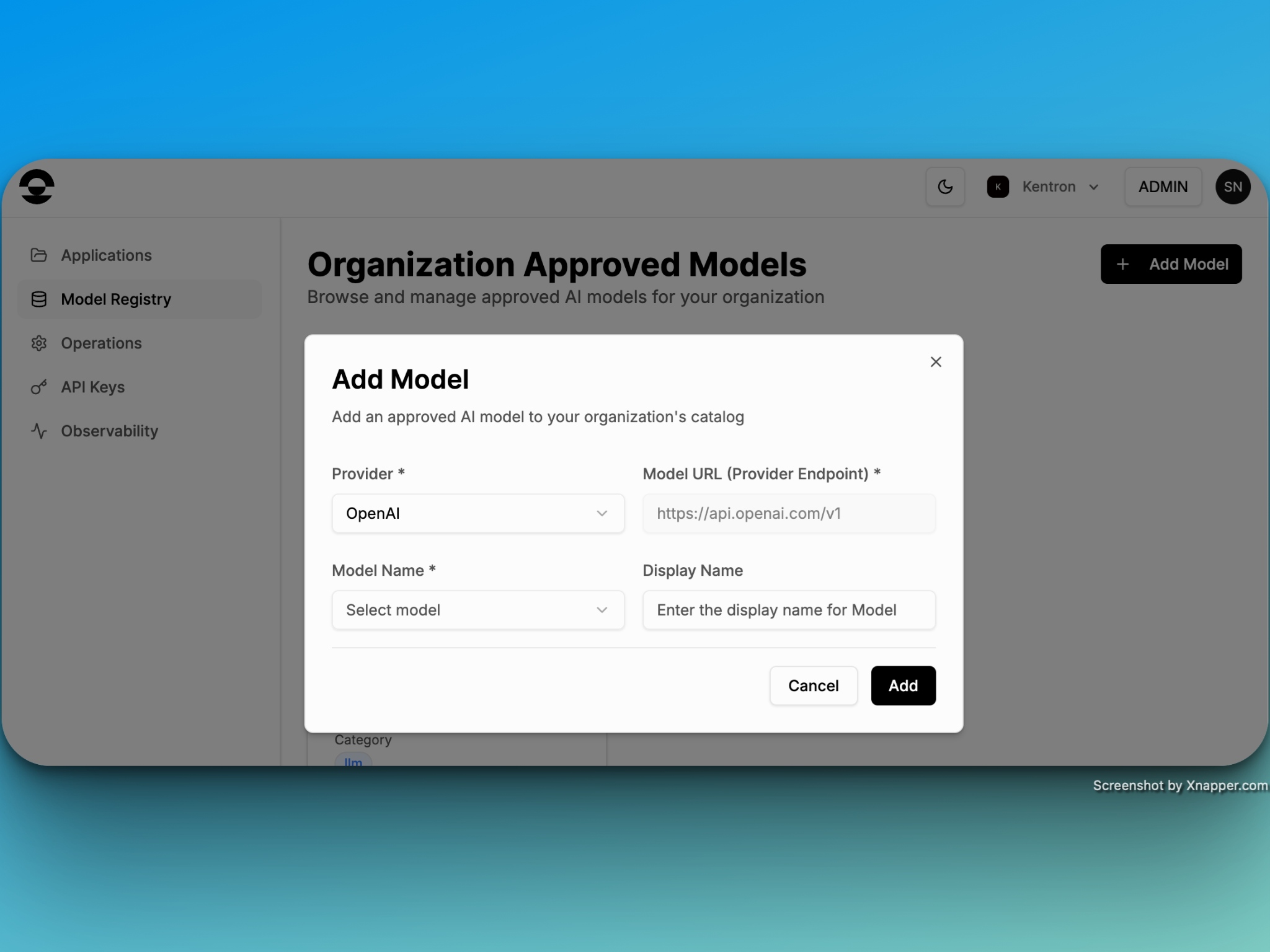
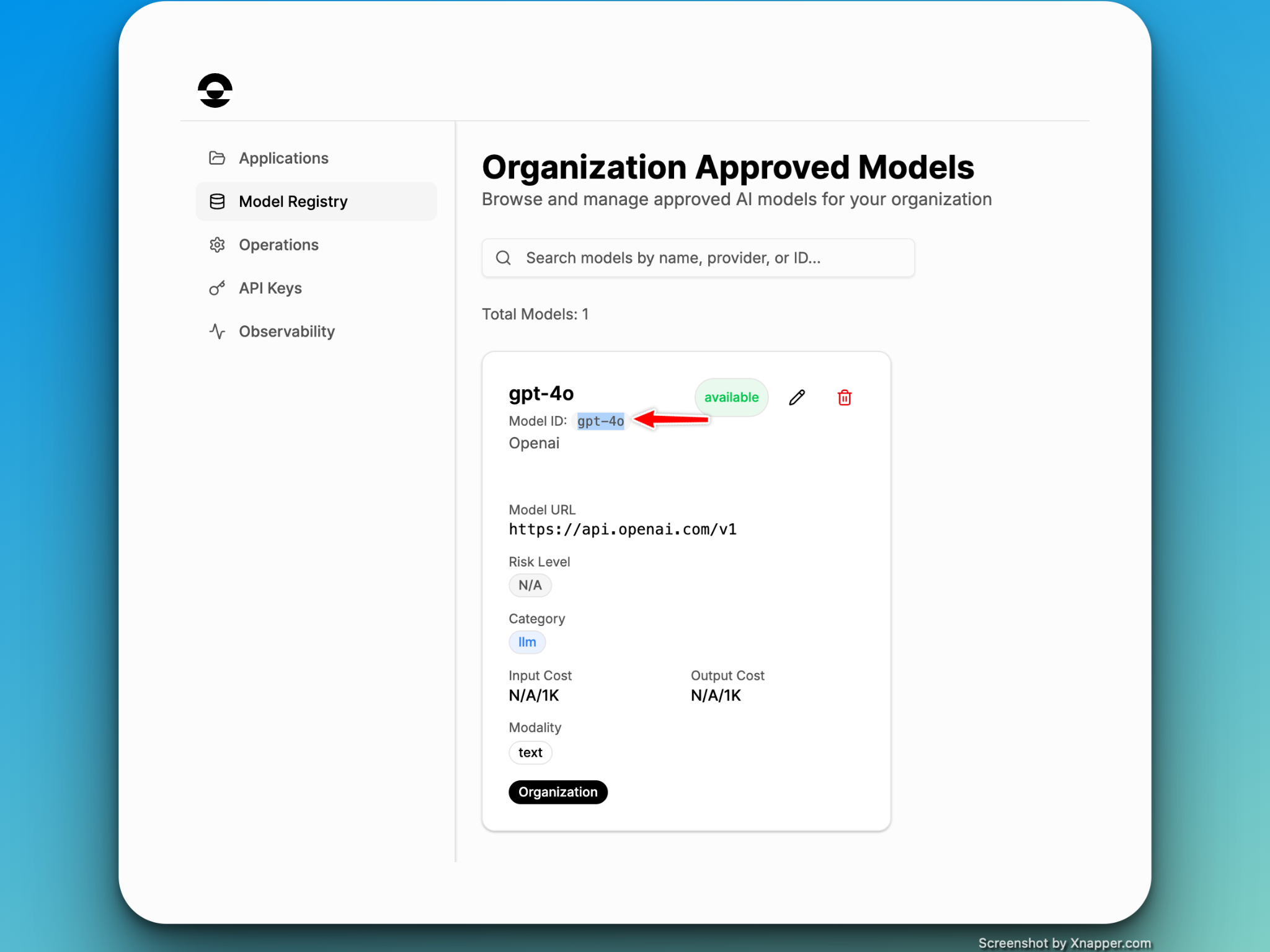
### Step 1: Register Model (Mandatory)
**NOTE**: Currently, Kentron only supports OpenAI
 ### Step 2: Create an Application
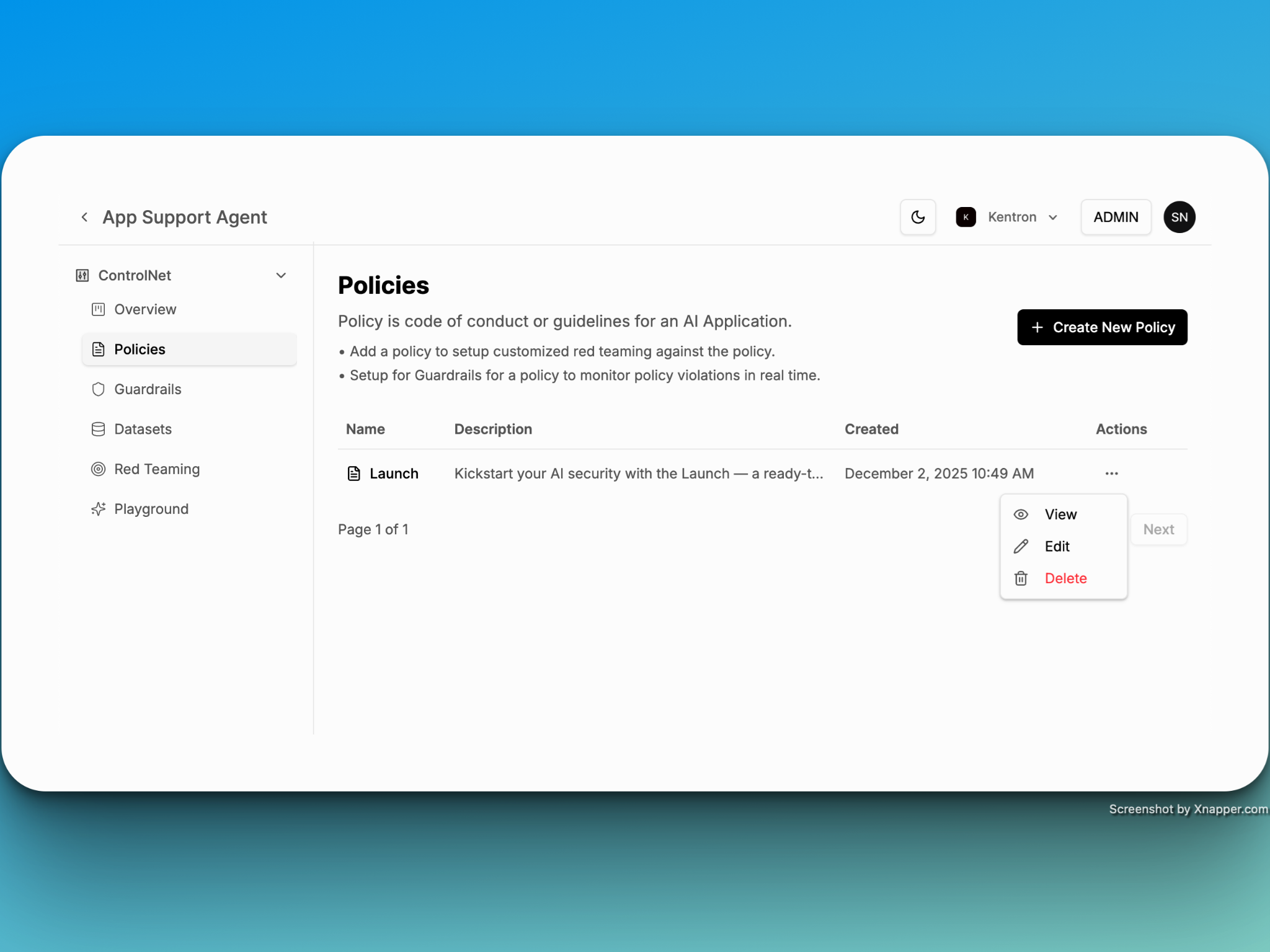
A central container for managing and monitoring each application’s security policies and guardrails. Every application starts with a default policy called “Launch,” which you can modify or remove as needed. The “Launch” policy consists of the following advance guardrails
* Toxicity Detection
* PII Detection
* Jailbreak Detection
* Profenitiy Detection
### Step 2: Create an Application
A central container for managing and monitoring each application’s security policies and guardrails. Every application starts with a default policy called “Launch,” which you can modify or remove as needed. The “Launch” policy consists of the following advance guardrails
* Toxicity Detection
* PII Detection
* Jailbreak Detection
* Profenitiy Detection
 ### Step 3: There are three ways you can enforce the security policy in your agentic or AI/ML application
* Python
* JavaScript
* CURL
### Step 3: There are three ways you can enforce the security policy in your agentic or AI/ML application
* Python
* JavaScript
* CURL
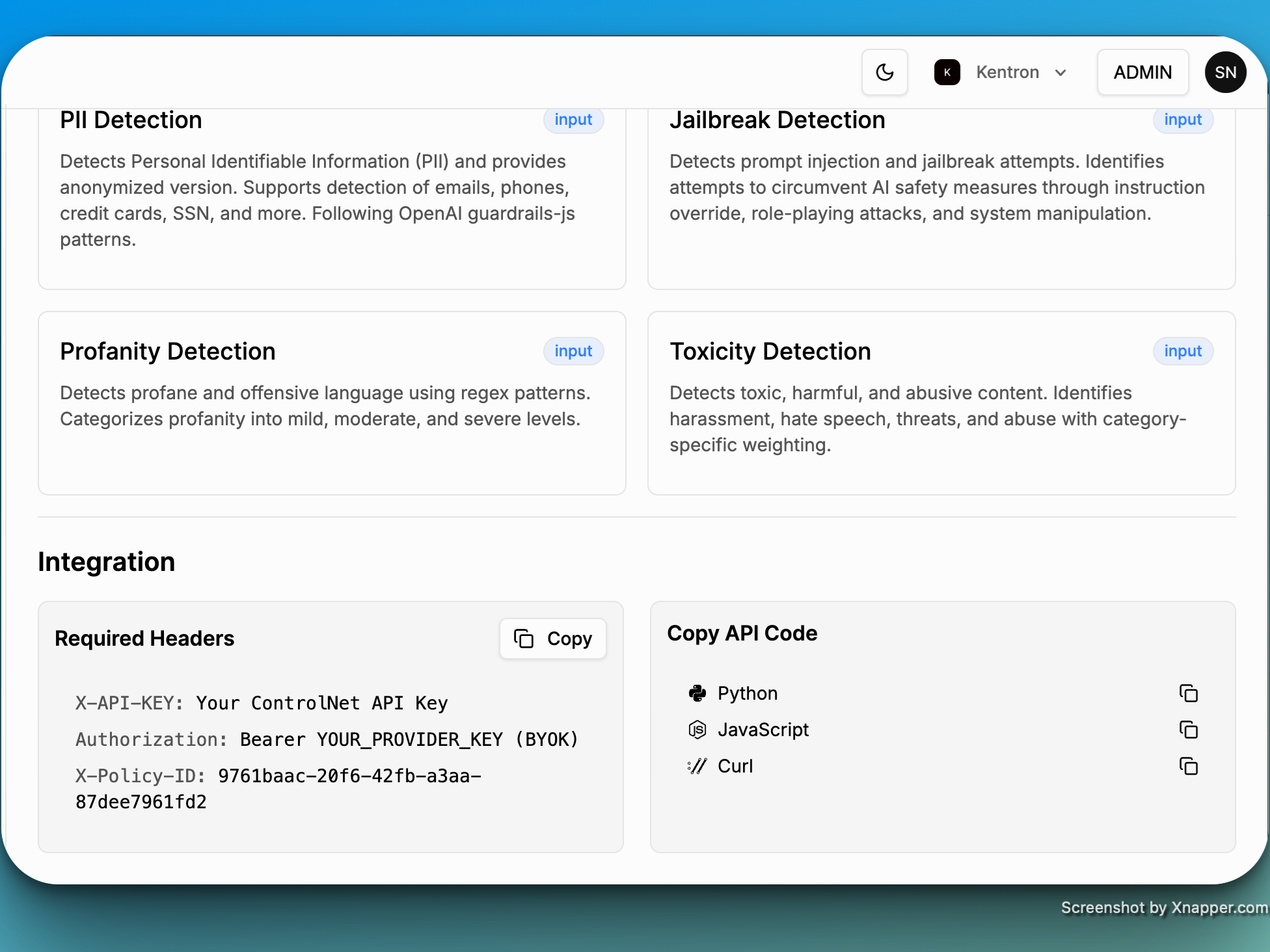 ### Step 4: The following are the required parameters to integrate Kentron with your applications:
* Polic ID: Gets auto-created
* Model ID: gpt-4o (case sensitive)
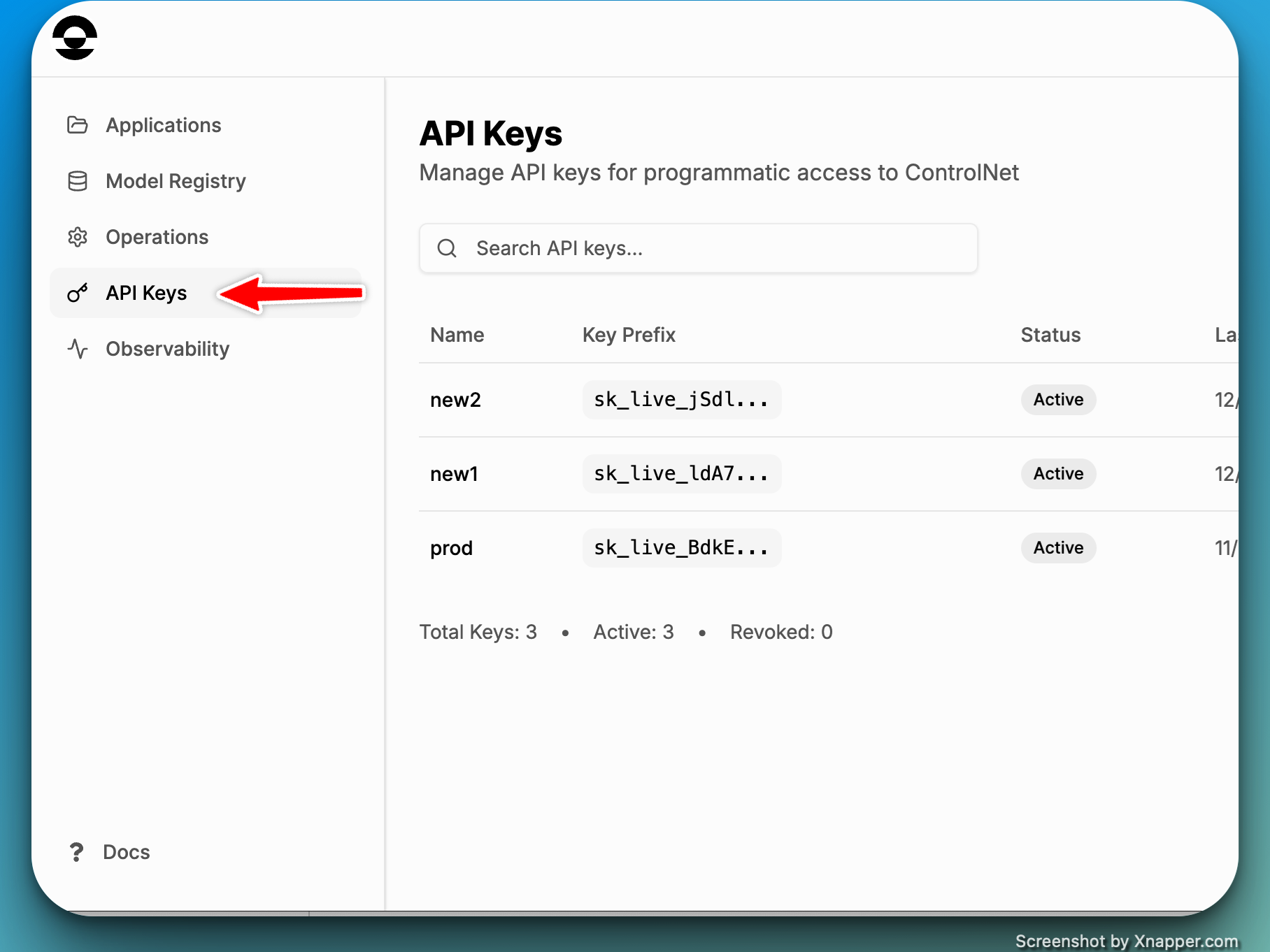
* Kentron API Key
### Step 4: The following are the required parameters to integrate Kentron with your applications:
* Polic ID: Gets auto-created
* Model ID: gpt-4o (case sensitive)
* Kentron API Key
 ### Step 5: Playground
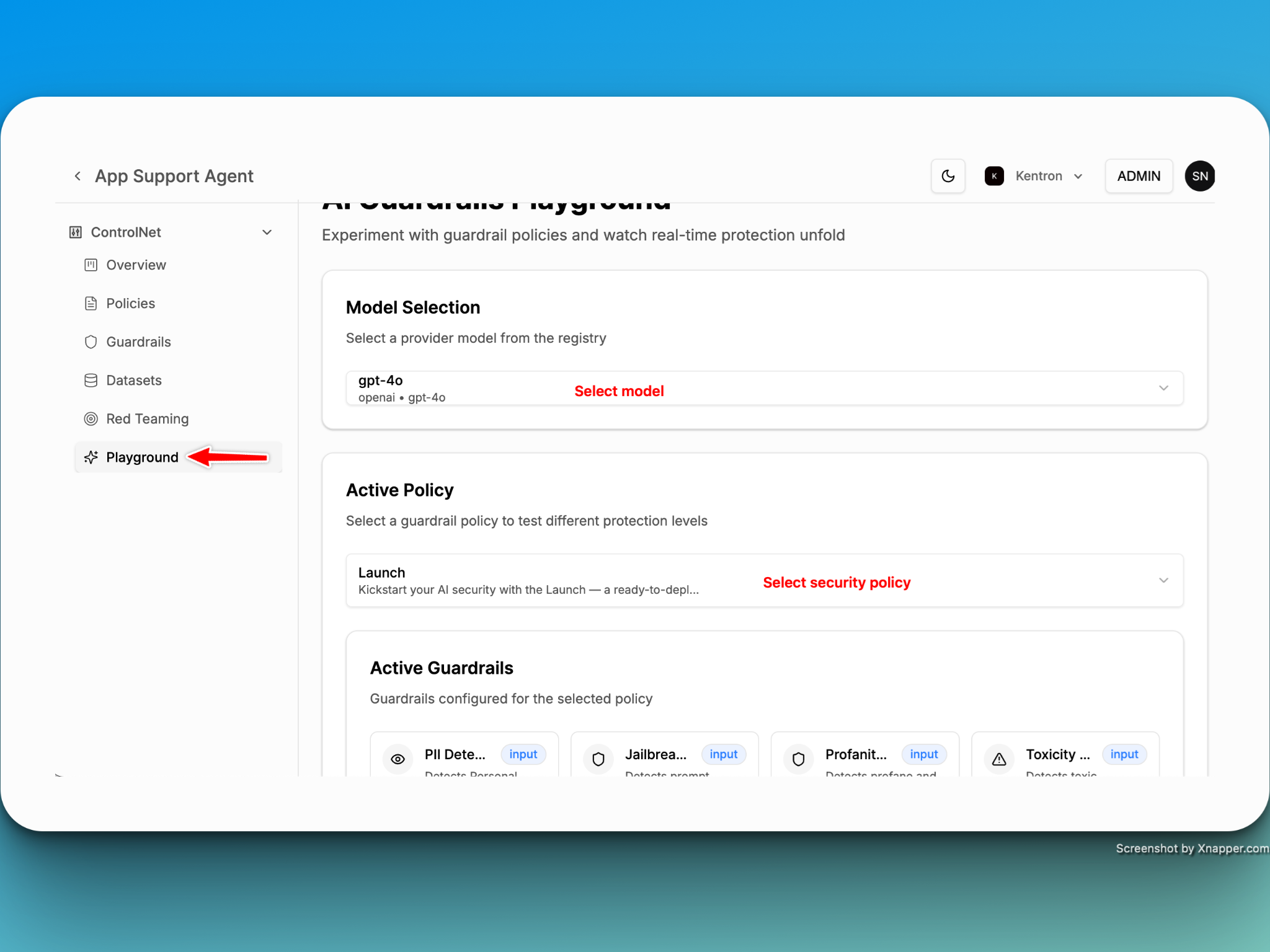
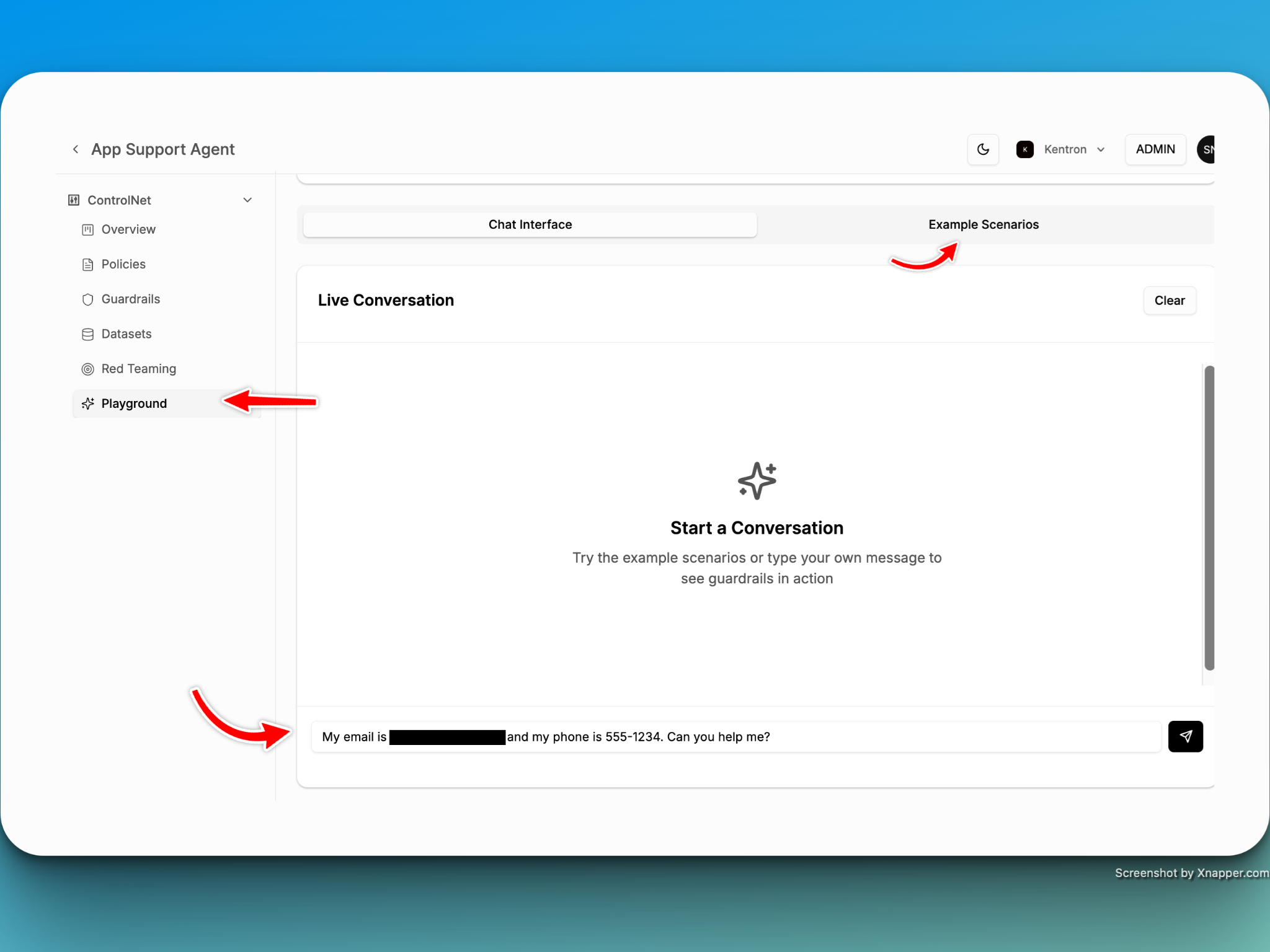
Test your existing or newly created policies in the Playground with ease, powered by built-in prompts designed to accelerate evaluation and refinement.
### Step 5: Playground
Test your existing or newly created policies in the Playground with ease, powered by built-in prompts designed to accelerate evaluation and refinement.